Key takeaways
- WhatsApp announced scheduled messages on 25 November 2026: press and hold the send button, then pick a date and time, from 10 minutes to 14 days ahead.
- They work in one-to-one and group chats, with text, photos and videos, and arrive even if your phone is off. The feature reaches everyone over the coming weeks.
- Events and scheduled calls remind people of a date; the Business app’s away message only answers people who write; its paid business broadcasts can be scheduled in some countries.
- On the WhatsApp Business API, the Messages API has no send-later setting: your software sends each message at the time it chooses, and outside the 24-hour window only a template can go out.
- A scheduled message is one message you remember to write. WhatSetter follows up every lead who goes quiet, with a message written by the AI from the conversation.
On this page
- Can you schedule a message on WhatsApp?
- How to schedule a message in WhatsApp
- How to schedule a WhatsApp message on iPhone
- How to schedule a WhatsApp message on Android
- Can you schedule messages on WhatsApp Web or the desktop apps?
- Events, calls and reminders: the other dates WhatsApp keeps
- Scheduling messages in WhatsApp Business
- Scheduled messages on the WhatsApp Business API
- Scheduling one message is not following up every lead
- How WhatSetter follows up every lead on time
- Which one should you choose?
- Questions, answered.
You think of it at 11 pm: a reminder for a client, a birthday wish, a message for someone in another time zone. You do not want to send it now, and you know you will forget it by the morning.
Yes, you can now schedule a message on WhatsApp. Since 25 November 2026, you press and hold the send button and pick the date and time it should arrive, from 10 minutes to 14 days later, in a one-to-one or a group chat. WhatsApp is rolling it out over the coming weeks, so it may not be on your phone yet. For a business, scheduling one message by hand is not the same as following up every lead on time.
Here is how the new option works, what else WhatsApp can schedule, what iPhone, Android, WhatsApp Business and the API offer, and where a scheduled message stops.
Can you schedule a message on WhatsApp?
Yes, and the answer is new. Until November 2026, WhatsApp had no way to send a personal message later, and most guides you will find still say so. Here is what each option schedules today.
| Option | What it schedules | Where it stops | Price |
|---|---|---|---|
| Scheduled messages, built into WhatsApp | One message to a chat or a group, from 10 minutes to 14 days ahead, with text, a photo or a video | You write each one, chat by chat, and it is still rolling out | Part of WhatsApp |
| Events and scheduled calls | A meeting or a call, with a reminder for the people who said they’re going | It reminds people of a date; it does not send your message | Part of WhatsApp |
| The WhatsApp Business app | An away message on a schedule, and paid business broadcasts you can schedule, in some countries | The away message only answers people who write; broadcasts are marketing, reviewed by Meta | Away message free; broadcasts billed per delivered message |
| The WhatsApp Business API | Whatever your own software sends, at the time it chooses | Outside the 24-hour window, only a template approved by Meta can go out | A provider’s plan, plus Meta’s fees per message |
| WhatSetter | A follow-up written by the AI for every lead who goes quiet, from 1 hour to 10 days later | It works within what you set: hours, delays, and never after you take over | From $119 a month, with a 7-day free trial and no per-message fees |
The first line is the one most people need. The others matter when the message is not a single one: a meeting, a campaign, or a list of leads waiting for an answer.
How to schedule a message in WhatsApp
WhatsApp calls the feature scheduled messages, and announced it on its blog on 25 November 2026. It works the same way in a one-to-one chat and in a group.
- Open the chat or the group you want to write to.
- Write your message, or add a photo or a video.
- Press and hold the send button instead of tapping it.
- Pick the date and time you want it to arrive: at least 10 minutes from now, at most 14 days.
The person who receives it sees an ordinary message. You can see all the messages you have lined up, and delete one before it goes out if you change your mind. It arrives at the time you chose even if your phone is off or out of battery, and it stays end-to-end encrypted, like your other messages.
Why you don’t see the option yet
WhatsApp says scheduled messages are “rolling out globally over the coming weeks”, so the feature reaches accounts one after the other, and its announcement does not say which devices come first. If nothing happens when you press and hold the send button, update WhatsApp and try again in a few days. On 26 November 2026, WhatsApp’s help center had no page on the feature yet.
What WhatsApp has not said yet
The announcement mentions deleting a scheduled message, not editing it: to change one, delete it and write it again. It says nothing about repeating a message every week, about WhatsApp Web and the desktop apps, or about the WhatsApp Business app. We will update this page when WhatsApp does.
It answers your leads in seconds, qualifies them and books the call, 24/7.
Try 7 days freeTalk to our agentHow to schedule a WhatsApp message on iPhone
On iPhone, the built-in option is the one above: press and hold the send button. For a message that should go out every day, every week or every month, the Shortcuts app is the other way, and it comes with limits.
WhatsApp lets Siri send messages for you: in the iPhone’s Settings, open Siri, then Apps, then WhatsApp, and allow it to work with Siri. In Shortcuts, a personal automation can then run at a time of day.
- Create the automation. In Shortcuts on iOS 26, open Automation, tap +, then Create Personal Automation, and choose Time of Day.
- Choose when. A time, sunrise or sunset, repeated daily, weekly or monthly.
- Add the message. Add the step that sends a message, with WhatsApp as the app, the contact and the text. Apple’s guide does not list WhatsApp’s own actions, so check what your iPhone offers.
- Let it run on its own. By default, iPhone asks you to confirm when the automation starts. To skip that, turn off Ask Before Running. On iOS 27, Apple moved the setting: in the shortcut, tap Edit, then Info, then Privacy, and turn on Allow Running When Locked.
Two things to know. Time of Day has no one-off date: the automation repeats until you turn it off, which suits a weekly reminder and not a single message. And neither Apple nor WhatsApp says whether the WhatsApp step sends the message on its own or opens it for you to tap Send. Test it with your own number before you rely on it.
How to schedule a WhatsApp message on Android
On Android too, the built-in way is to press and hold the send button, once the feature reaches your account. The scheduling you may know from your phone’s texts does not apply to WhatsApp: Google Messages and Samsung Messages schedule their own texts, SMS and RCS, but not WhatsApp messages.
The Play Store also has scheduler apps for WhatsApp. They are not WhatsApp features. WhatsApp’s terms list “auto-messaging” among the uses they do not allow, and its help center asks people not to “bulk message, auto-message, or auto-dial” and says it bans accounts that send unwanted automated messages. For a message to a friend, the built-in option now makes them unnecessary.
Can you schedule messages on WhatsApp Web or the desktop apps?
WhatsApp has not said yet whether scheduled messages work on WhatsApp Web, Mac or Windows; its announcement does not name any device. Some pages already describe a clock icon on WhatsApp Web, which no WhatsApp page mentions. What is documented: you can create an event from WhatsApp Web and the Mac app, while the away message of WhatsApp Business and broadcast lists are not available there.
Events, calls and reminders: the other dates WhatsApp keeps
Sometimes the message you want to schedule is really a reminder of a date. WhatsApp has two tools for that, and both send the notification for you.
- Events. In a chat or a group, tap the paperclip on Android, or + on iPhone, then Event. Give it a name, a date, a start time, and if you want a place or a WhatsApp call link. Everyone who answers Going or Maybe gets a notification when it starts, and you can add a reminder 15 minutes, 30 minutes, 1 hour or 1 day before. WhatsApp is still rolling out some of these options.
- Scheduled calls. In the Calls tab, tap +, then Schedule call, and invite people or a group. Everyone gets a notification when the call is about to start, and upcoming calls stay listed in the Calls tab.
Scheduling messages in WhatsApp Business
The WhatsApp Business app has had schedules for longer than WhatsApp, but not for the message you write to one person.
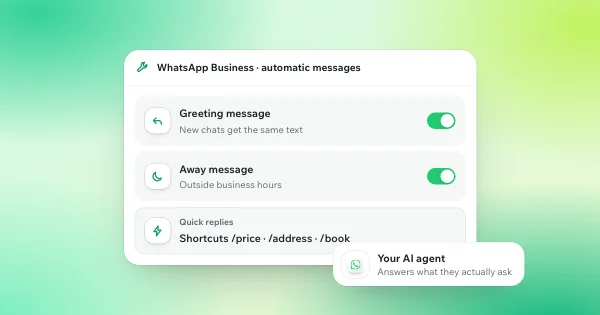
- The away message follows a schedule: always, between two dates and times, or outside your business hours. It only goes to people who write to you in that time, with the same words for everyone. Our WhatsApp auto reply guide shows how to set it up.
- Business broadcasts, which WhatsApp called marketing messages until recently, send one message, with a photo, to many customers at once, and they can be scheduled: before sending, tap Schedule, then pick a date and a time. They are paid, per delivered message, reviewed by Meta, and only available in some countries. The phone must be online when the broadcast is due, or the app tries again for a while.
- Free broadcast lists send right away: WhatsApp’s help pages describe no way to schedule them.
Meta Business Suite does not fill the gap: its planner schedules Facebook and Instagram posts, not WhatsApp messages.
Scheduled messages on the WhatsApp Business API
On the WhatsApp Business API, which Meta calls the Business Platform, nobody presses a send button: software sends every message. Meta’s Messages API has no “send later” setting, so your own software, or your provider’s, sends each message at the time it chose. The rules decide what it may send at that time.
- The 24-hour window. Each message from a customer opens a 24-hour customer service window. Inside it, you can send any message. Once it closes, only a template approved by Meta can go out.
- Templates for everything else. A message you send first, or a follow-up after the window, needs an approved template: marketing, utility or authentication.
- A price per message. Meta bills each delivered message by category and by the recipient’s country. Since 1 October 2026, it also bills service replies past the first 1,000 a month per number, and the utility templates sent inside the window.
So a follow-up scheduled three days after a lead’s last message is a template on the API, approved in advance and billed when delivered. Our guide to WhatsApp Business API pricing gives the rates by country.
Scheduling one message is not following up every lead
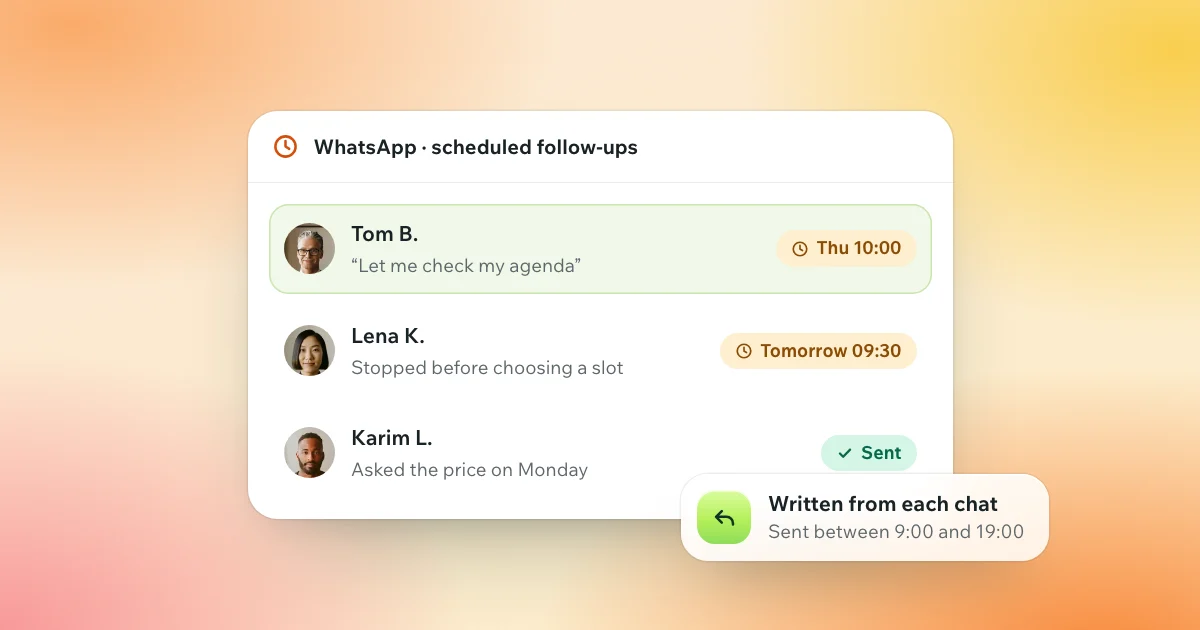
A scheduled message solves one problem: you know what to say, and when. Selling on WhatsApp brings a different one. Take Tom, who writes to Closer Academy, a fictional coaching business, about a first call.
“Let me check my agenda and come back to you.”
He does not come back. To follow him up with a scheduled message, someone has to notice the silence, decide on a day, write the right words, and do it again for every lead who stopped answering this week. If Tom writes in the meantime, the scheduled message is still waiting: someone has to delete it before it goes out. And past 14 days, WhatsApp cannot hold it at all.
That is where most follow-ups slip. Not because nobody knows how to schedule a message, but because nobody has time to schedule one for each lead, each day, with words that fit what that lead said. Our article on speed to lead explains why the first answer counts; the second message counts too.
How WhatSetter follows up every lead on time
WhatSetter puts an AI agent on the WhatsApp number you already use. It answers your leads, qualifies them and books the appointment in your calendar, 24/7. When a lead goes quiet, or stops halfway, it plans the follow-up itself.


- It notices the silence. A lead who stops answering is marked as waiting, and the follow-up is planned at the delay you chose, from 1 hour to 10 days after the last message.
- It writes from the conversation. Each follow-up is written by the AI from what was said: the slot Tom hesitated on, the question he asked. Never a “just checking in”.
- At a decent hour. Follow-ups go out between 9 am and 7 pm, on Sunday only if you allow it.
- Never on top of you. No follow-up goes to a lead you took over or who was stopped. One follow-up on Starter, two on Business and Scale.
Scheduling has a place in groups too: with WhatsApp groups, you plan sequences of messages in one or several groups, from templates, around a date such as the start of a course, or written by the AI. For a webinar, a course or an event, WhatSetter sends the reminders on WhatsApp, scheduled from its date.
WhatSetter is not a Business Platform provider: it connects your number through its own gateway, by QR code, as a linked device. That is why there are no templates to get approved and no per-message fees, and why your WhatsApp app keeps working. Your number is protected: first messages to new contacts are capped each day and ramp up over time, messages go out one at a time, and you get an alert if the number disconnects. No tool can promise that a number will never be restricted, and WhatSetter does not.
Every quiet lead, followed up at the right time. WhatSetter connects the number you already use in a minute, answers every lead in seconds and follows up the ones who go quiet with a message written from the conversation. Starter costs $119 a month, or $95 billed yearly, with a 7-day free trial. See automated follow-ups
Which one should you choose?
- One message to a friend, a client or a group, at a set time: WhatsApp’s scheduled messages, as soon as they reach your phone. Press and hold the send button.
- A meeting or a call: an event or a scheduled call, so people get the reminder.
- The same reminder every week on iPhone: a Shortcuts automation, tested first on your own number.
- A promotion to many customers: business broadcasts in the WhatsApp Business app, where they are available, or templates on the API, billed per message.
- Leads who go quiet before they buy or book: an AI agent on your number that follows up each one, at the right time, with the right words.
To go further, our guide to the AI appointment setter on WhatsApp shows how the agent books the call, and our article on reactivating old leads on WhatsApp covers the ones who went quiet months ago.
Questions, answered.
Can you schedule messages on WhatsApp?
Yes. Since 25 November 2026, WhatsApp lets you schedule a message: press and hold the send button, then pick the date and time, from 10 minutes to 14 days ahead. It is rolling out over the coming weeks, so it may not be on your account yet.
Why can’t I schedule a message on WhatsApp?
The feature reaches accounts gradually over the coming weeks. Update WhatsApp, then press and hold the send button again in a few days. WhatsApp has not said which devices get it first.
How far ahead can you schedule a WhatsApp message?
From 10 minutes to 14 days after you write it, in a one-to-one or a group chat.
Does a scheduled WhatsApp message send if my phone is off?
Yes. WhatsApp says it arrives at the time you chose even if your phone is off or out of battery, and it stays end-to-end encrypted.
Can I edit or cancel a scheduled WhatsApp message?
You can see the messages you have lined up and delete one before it goes out. WhatsApp has not mentioned editing: delete it and schedule it again.
Does the recipient know a message was scheduled?
WhatsApp says it looks like any other message to the person who receives it.
Can you schedule messages in WhatsApp Business?
The away message follows a schedule, and paid business broadcasts can be scheduled in some countries. WhatsApp has not said when its new scheduled messages reach the Business app. On the API, your own software decides when each message goes out.
Can I schedule a WhatsApp message every week?
WhatsApp’s announcement does not mention repeating a scheduled message. On iPhone, a Shortcuts automation can run daily, weekly or monthly; test it on your own number, since neither Apple nor WhatsApp says whether it sends without a tap.
How do I follow up WhatsApp leads automatically?
WhatSetter connects your current number by QR code and follows up every lead who goes quiet, 1 hour to 10 days after the last message, with a message the AI writes from the conversation, between 9 am and 7 pm.
Something else? Write to us, or ask our agent on WhatsApp.
Words used in this article